
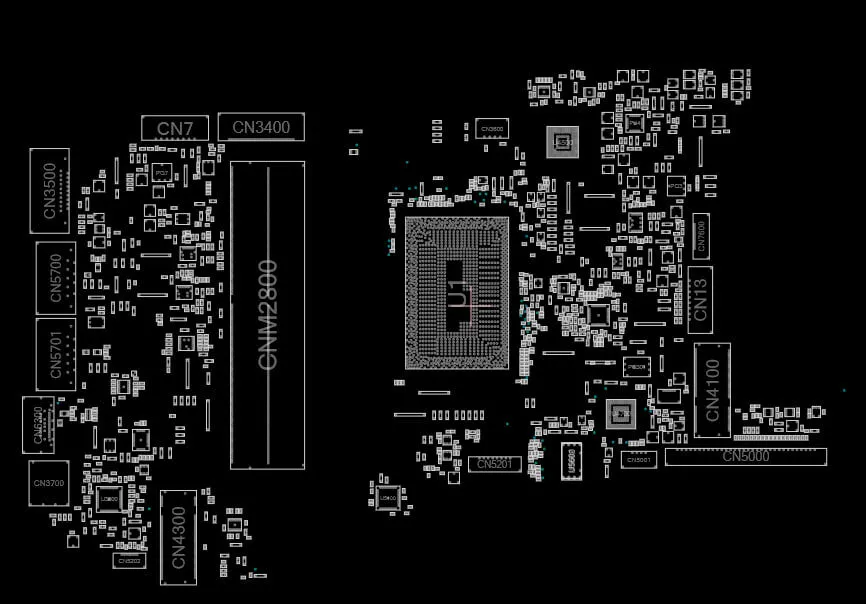
Advanced Motherboard Fault Diagnosis: A Professional Step-by-Step Method
Introduction
Modern motherboard repair is no longer about guesswork or random component replacement. As boards become more complex, professional diagnosis depends on logic, measurement, and documentation. A structured diagnostic approach saves time, reduces risk, and increases repair success rates. This guide explains a professional, step-by-step motherboard fault diagnosis method using schematics, BoardView files, and practical testing principles. The content is model-agnostic, so you can apply it to [MOTHERBOARD MODEL HERE] or any other laptop or desktop motherboard.
Why Guess-Based Repair Fails
Many failed repairs start with assumptions instead of evidence. Replacing ICs without understanding the fault often introduces new problems, wastes money, and damages pads or traces. Professional technicians diagnose the cause, not the symptom. A logical process ensures each action is justified by measurement or documentation.
Building a Diagnostic Mindset
A technician’s mindset focuses on systems rather than parts. Always ask:
- What is the symptom?
- Which subsystem controls this behavior?
- What conditions must be true for the system to work?
Schematics and BoardView files help you visualize how power, signals, and components interact. Diagnosis begins on paper before touching the board.
Step 1 – Visual Inspection
Visual inspection remains critical. Look for:
- Burn marks, cracked components, or discoloration
- Corrosion from liquid damage
- Missing or misaligned components
These issues are common on [MOTHERBOARD MODEL HERE] after power surges or liquid exposure and can immediately narrow the fault area.
Step 2 – Power Input and Protection Check
Before analyzing internal circuits, confirm the board receives stable input power.
- Check adapter or PSU output
- Inspect input fuse and protection diodes
- Measure VIN or main input voltage
If input power is missing or unstable, downstream circuits cannot function correctly.
Step 3 – Always-On Power Rails Verification
Always-on (ALW) rails such as +3VALW and +5VALW power the embedded controller and enable the startup process.
- Measure expected voltages
- Check for short-to-ground
- Confirm stability
If ALW rails are missing, the motherboard will appear completely dead.
Step 4 – Power Enable and Sequence Analysis
Motherboards follow a strict power-up sequence controlled by the EC, PCH, or SIO.
- Identify enable signals (EN, PWR_EN)
- Verify sequence timing using the schematic of AL MOST ALL MODEL LAPTOP & DESKTOP MOTHERBOARD
A single missing enable signal can stop the entire startup process.
Step 5 – Clock, Reset, and Communication Signals
Even with correct voltages, the system will not boot without clock and reset signals.
- Check crystal oscillators
- Verify RESET#, RSMRST#, and PLTRST#
Clock absence often indicates EC, PCH, or crystal circuit issues.
Step 6 – Using BoardView for Pin-Level Analysis
BoardView files allow precise component and net tracing.
- Locate test points and coils
- Match schematic nets to physical components
- Verify continuity and routing
This saves time and prevents unnecessary component removal.
Step 7 – Resistance and Short-to-Ground Testing
Resistance measurements reveal hidden shorts.
- Compare readings to known-good values
- Identify abnormal low resistance
- Understand rail behavior before injecting voltage
Shorts often originate from failed capacitors or ICs.
Step 8 – Thermal and Voltage Drop Detection
Heat and voltage drops reveal fault locations.
- Use thermal cameras or controlled heating
- Identify components drawing excessive current
These methods should support, not replace, logical diagnosis.
Step 9 – Signal vs Power Fault Differentiation
Not all faults are power-related. Some boards have correct voltages but fail due to:
- BIOS corruption
- EC firmware issues
- Data or communication line faults
Understanding this difference prevents unnecessary power circuit repairs.
Common Diagnostic Mistakes Even Professionals Make
- Skipping ALW checks
- Ignoring enable signals
- Trusting labels instead of measurements
Avoiding these mistakes improves success rates significantly.
Laptop vs Desktop Diagnostic Differences
Laptop boards rely heavily on embedded controllers and battery circuits, while desktops depend on PSU behavior and complex VRM designs. Diagnostic principles remain the same, but execution differs.
Professional Diagnostic Workflow Summary
- Visual inspection
- Input power verification
- Always-on rails check
- Power sequence analysis
- Signal confirmation
- Fault isolation and confirmation
Final Thoughts
Professional motherboard repair is a skill built on understanding systems, not memorizing fixes. Schematics and BoardView files are essential tools for accurate diagnosis. By following a structured workflow, technicians can confidently diagnose faults on DESKTOP GIGABYTE, MSI, ASUS,LAPTOP HP, DELL, LENOVO, ACER and beyond.
Explore more schematic and BoardView learning resources on RC4BD to deepen your repair expertise.